1 min read
Azure AD – You can now authenticate with text message (preview)
As you know, Microsoft has embarked to a password-less journey by providing more secure authentication process with Windows Hello or FIDO2 security...
1 min read
Another step to a passwordless world.
As you know, you can signing with no password using a FIDO key or Windows Hello.
Well, you can now also use the one time code from your Microsoft Authenticator app.
First thing you need to enable this new feature by logging on your Azure AD portal (https://aad.portal.azure.com/) and access the Azure Active Directory\Security\Authentication Methods\Policies blade to edit the Microsoft Authenticator authentication method
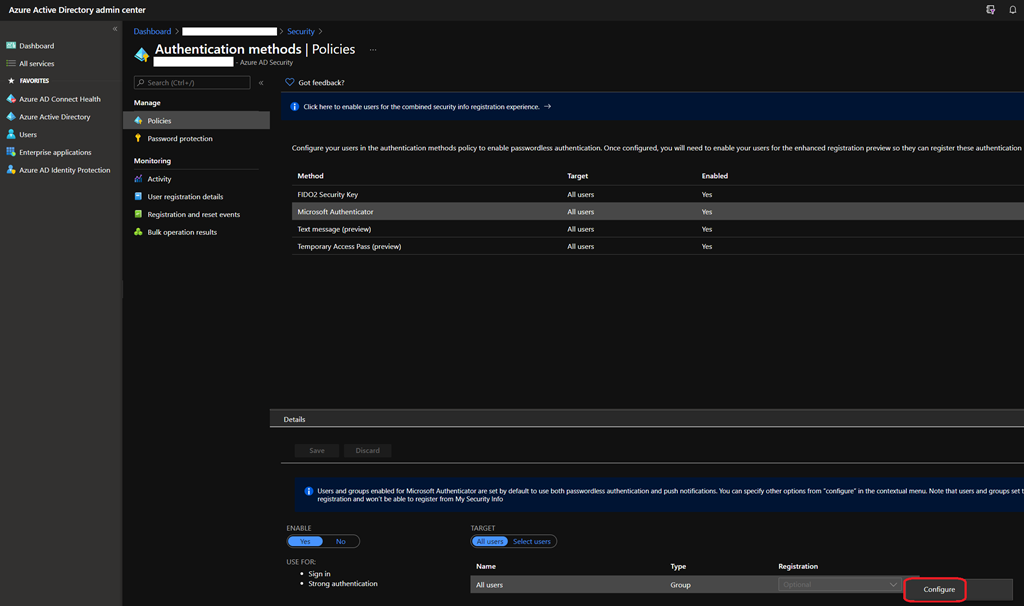
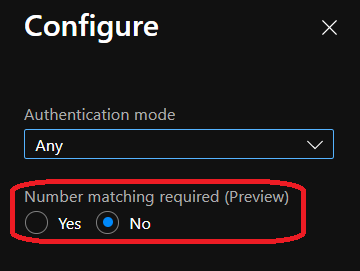
Then select Yes to enable the Number matching required option.
Don’t forget to hit Save after turning the option on
If not already done, instruct your user to register for Azure MFA and ensure they register for passwordless authentication (see https://t.co/k6NQVUdOKk – just the user part, skip the policy configuration at the beginning).
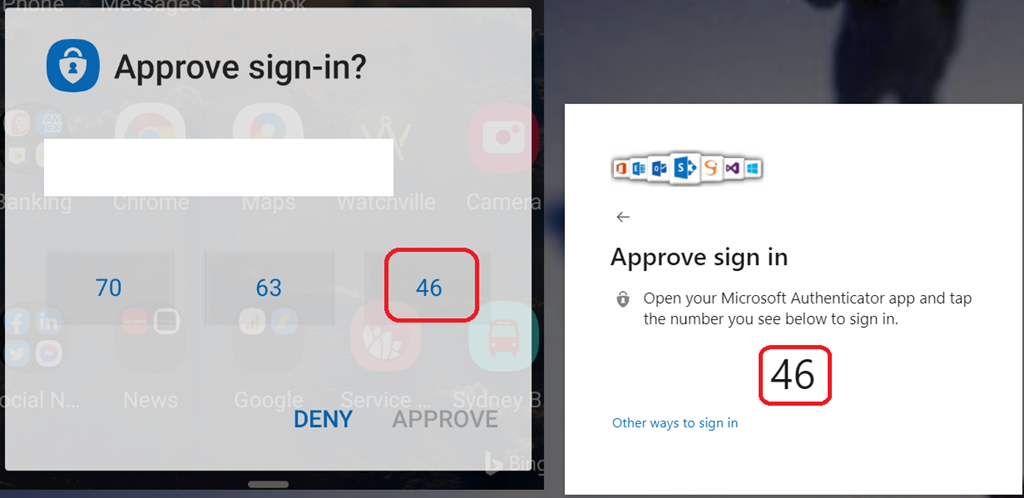
Once done, your users can now use the code from the Microsoft Authenticator app to sign in by hitting the number shown during the authentication process.