1 min read
Teams – A new capability available for Teams Mobile on Android devices: Walkie Talkie (preview)
We all know walkie talkie, a communication device for instant push-to-talk communication.
As you know you should protect your resources running on Azure connected to a virtual network (vNet) using Network Security Group (NSG).
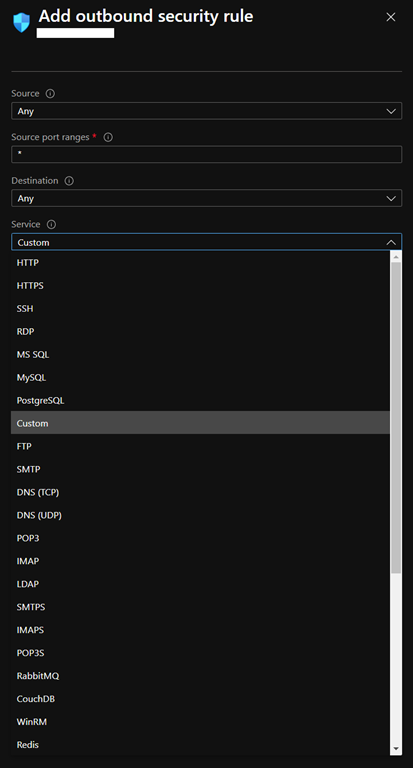
Well, it now easier to manage well-known communication ports (or services) to allow/disallow traffic.
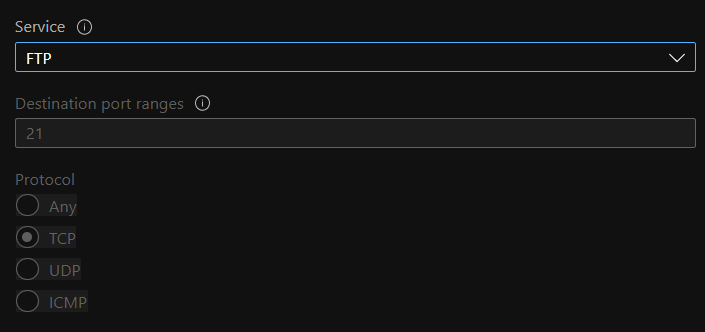
When editing inbound or outbound rule to add new communication port you no longer have to manually enter the port and protocol for these well-known services (HTTP, HTTPS, SMTP…)
When selecting one of the known services, all the settings (port, protocol) are automatically set for you.