1 min read
Intune – You can now monitor your Windows Defender devices from the portal
As you know, you can manage Windows Defender settings by creating device configuration profiles using Intune/Endpoint Configuration Manager,...
You may be already aware that you were able to change the primary user of a device when the device is Intune managed only (see https://t.co/iuo00rAdke)
Well good news, you can do the same with co-managed devices too.
To change the primary user of a co-managed device, logon to your Endpoint Configuration Manager portal (https://endpoint.microsoft.com/) and go to the DevicesWindows blade to select the co-managed device you want to change the primary user
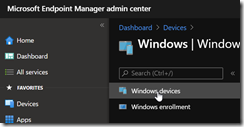
Then go to the Properties of the device blade and use the Change primary user option and select the new primary user
![image_thumb[1]](https://www.cubesys.com.au/hubfs/Imported_Blog_Media/image_thumb1-207.png "image_thumb[1]")
![image_thumb[2]](https://www.cubesys.com.au/hubfs/Imported_Blog_Media/image_thumb2-167.png "image_thumb[2]")