1 min read
Teams – You can now add a room when joining a meeting
You can now easily add a room when you are joining a meeting using your Teams client on Windows.
You know you can schedule and join meeting from Teams from any device using the Teams client.
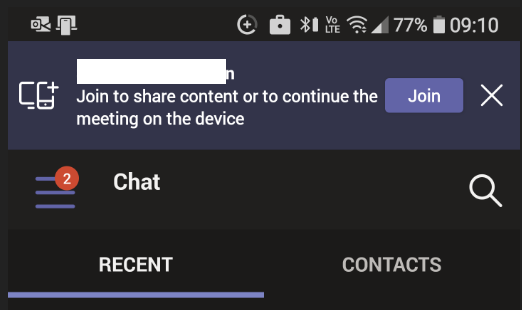
Well, now you can even join a meeting on device (let say your Windows device) and then transfer it to your mobile device.
To be able to do so, first you need to have the Teams client installed on both devices.
Then you join your meeting using one of the client and then on the second device sign in with the same account on Teams.
There you will see a banner showing up telling you a meeting is in progress and offering you to join/transfer the meeting to the second device