1 min read
Exchange Online – You can now add a personal calendar and refreshed UI for calendar management
This new feature is only available through Outlook Web Access (aka OWA, aka Outlook on the Web).
Exchange Online has been updated to introduce a new feature in Outlook on the Web (aka Outlook Web Access, aka OWA).
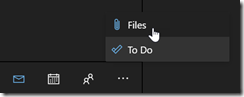
When accessing your mailbox using OWA, you will now see a Files view, available in the module switcher at the bottom (which redirect you to https://outlook.office.com/files/)
When you switch to the Files view you will have access to all attachments you have sent or received; you will notice it can separate files (like Office documents) from pictures
![image_thumb[1]](https://www.cubesys.com.au/hubfs/Imported_Blog_Media/image_thumb1-94.png "image_thumb[1]")